We are excited to share two updates designed to improve your daily workflow: a new web dashboard and a map feature in the mobile app! These enhancements improve visibility, usability, and efficiency across the platform whether you are planning from the office or working in the field.
We look forward to hearing your feedback as you begin using these new features.
New web dashboard
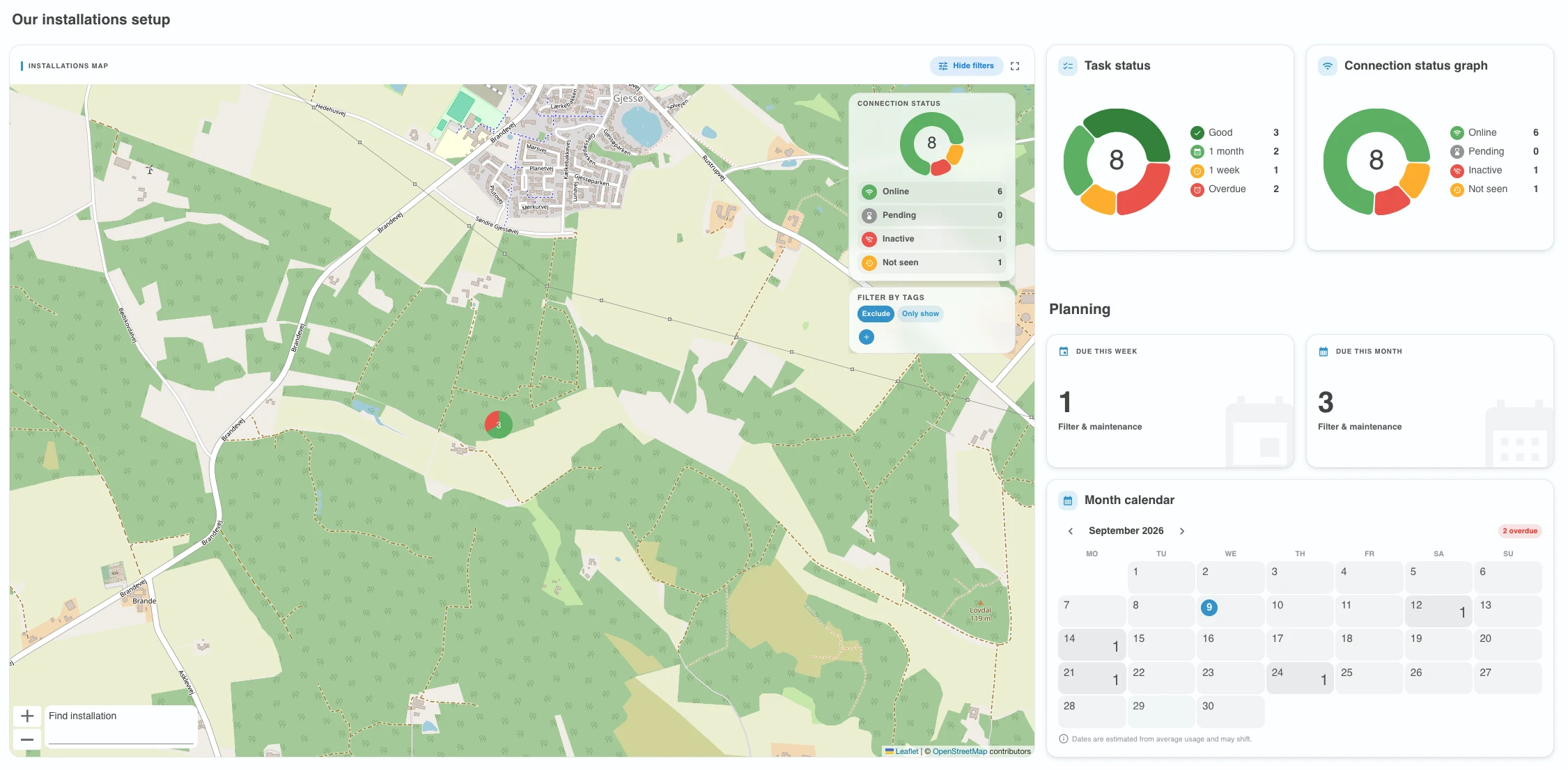
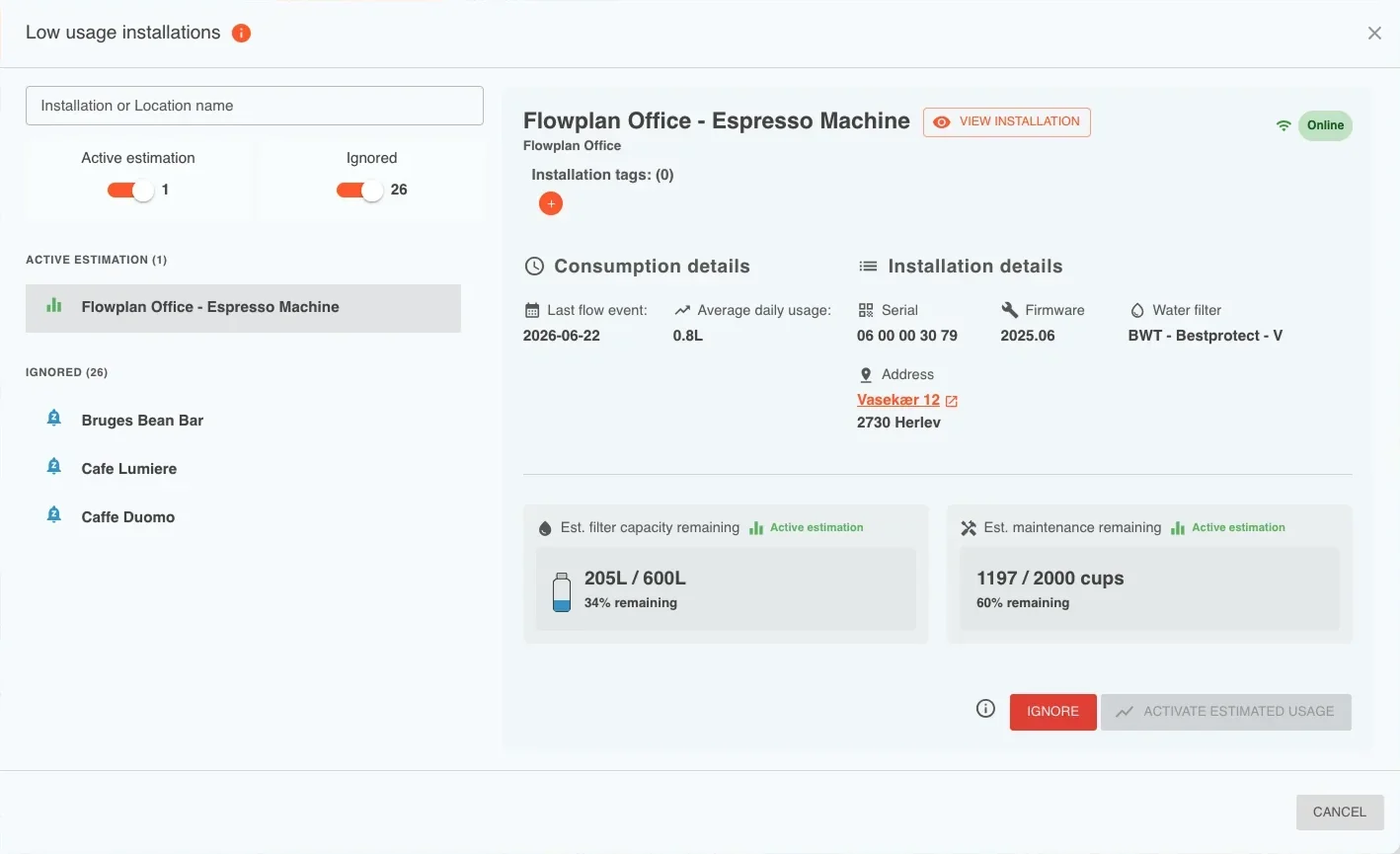
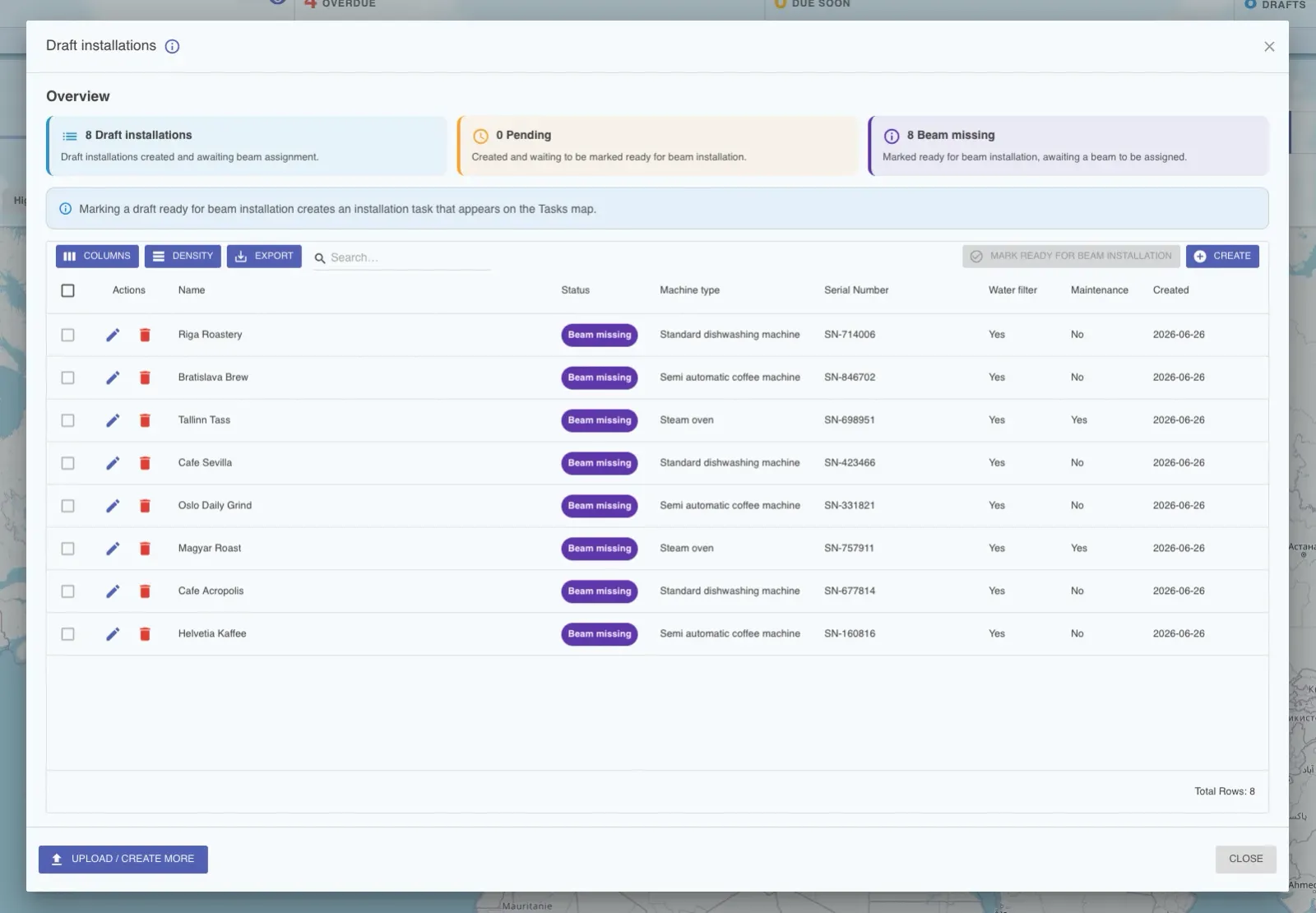
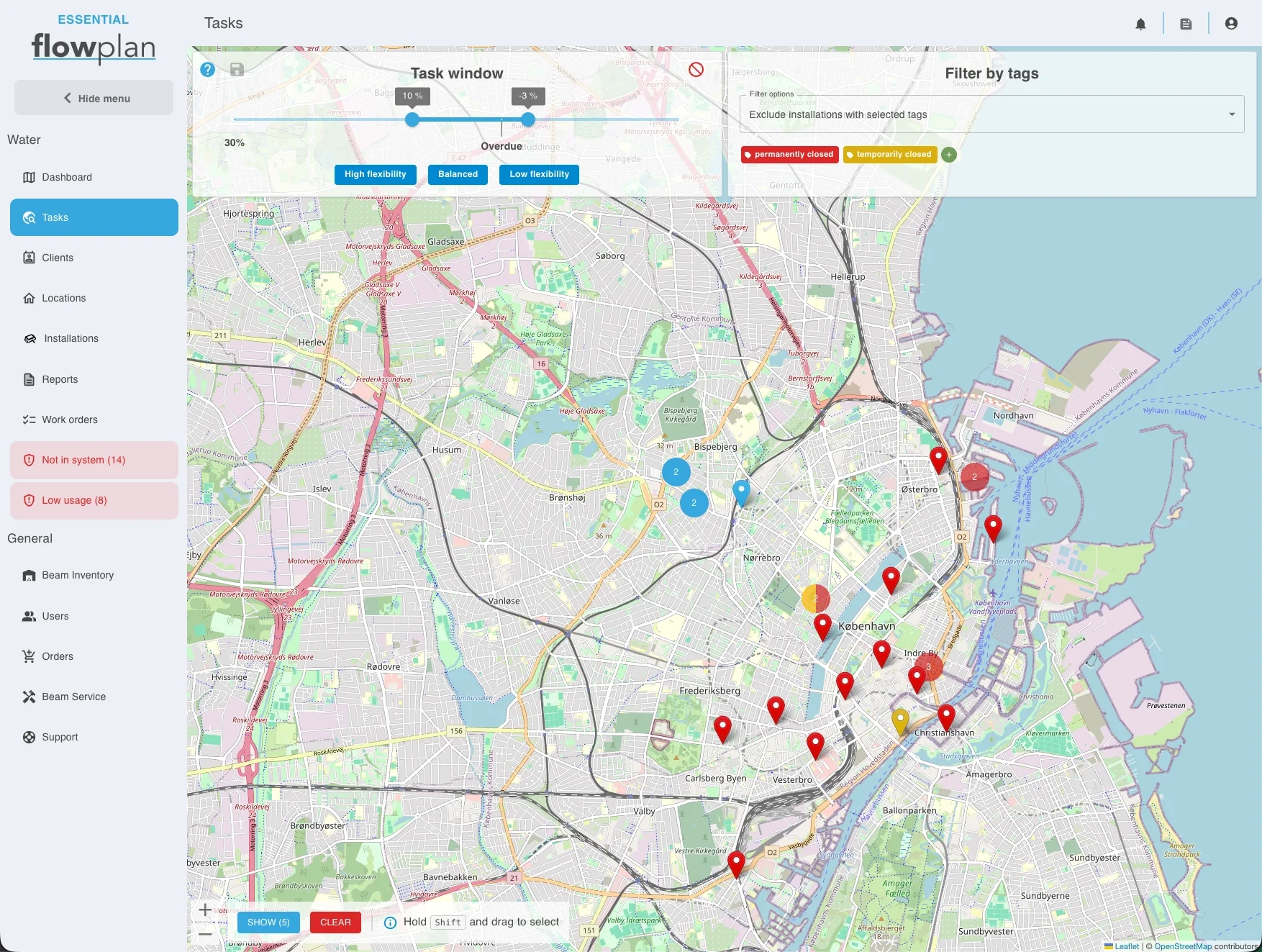
The updated dashboard makes it easier for service teams to plan their work, prioritize tasks, and make decisions faster. It highlights upcoming tasks and introduces a smarter task window that gives more flexibility when planning service work.
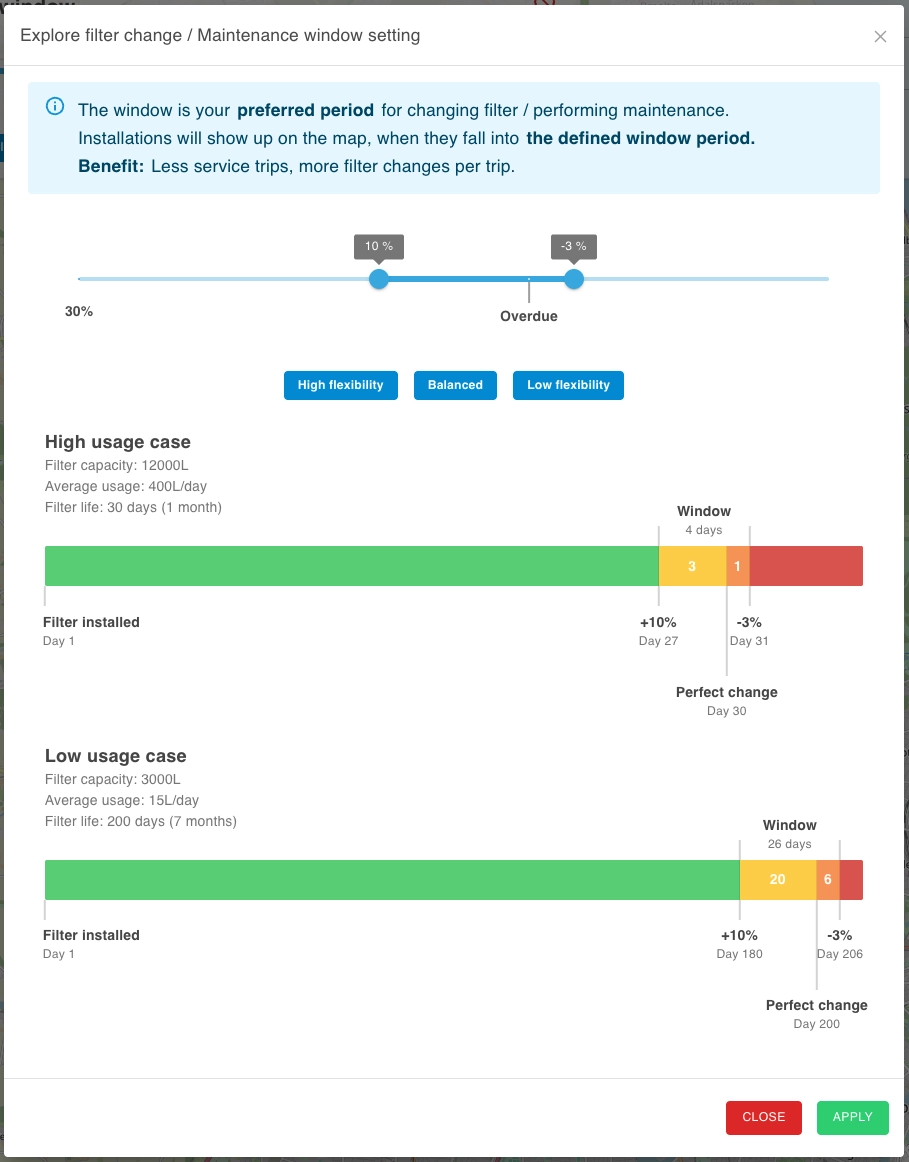
Smarter task window
Using filter capacity and usage data, the system creates a service window around the expected replacement date, helping teams plan work more efficiently without acting too early or too late.
Task selection and planning
The dashboard now works together with map tools to create a smoother workflow from identifying service needs to organizing the work that needs to be completed.
From the map view, users can:
- Filter installations by tag to focus on or exclude specific installations.
- Select installations directly on the map.
- Drag to select multiple installations at once.
- View and manage selected installations in a list.
- Group them into bundles of tasks that can be forwarded to external systems.
New map feature in the mobile app
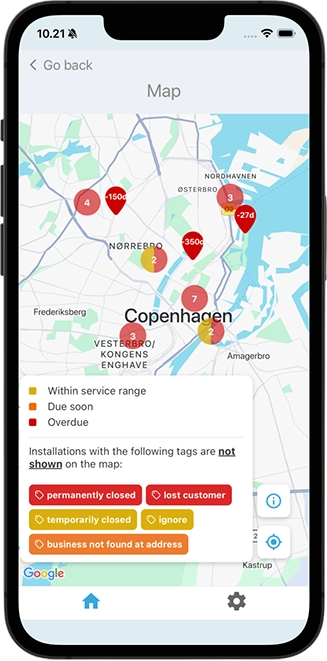
For technicians and field teams, we are introducing a new map view in the mobile app designed to simplify on-site planning and navigation. Instead of navigating through lists of installations, technicians can now prioritize their work based on both location and urgency.
Map overview
A new Map button on the home screen provides quick access to installations with filter change and maintenance tasks. Markers are color-coded to indicate service status.
Location-based tasks overview
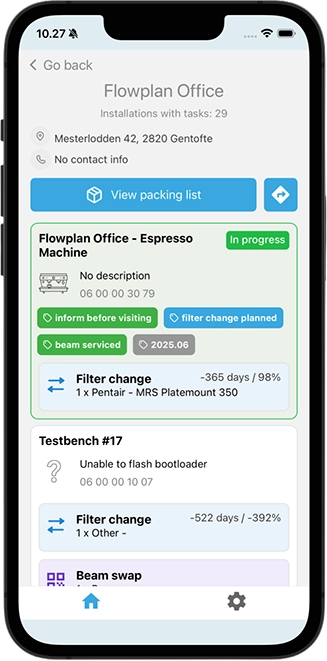
Selecting a marker on the map opens the location screen showing all installations with tasks at that site. Technicians can also open a packing list containing all items needed to complete the tasks at that location.
Navigation and on-site validation
A Directions button opens Google Maps for navigation to the location.
Before starting work, technicians will be asked to scan the Beam QR code to verify that the correct installation is being serviced.